
Sandboxes
An AI model can propose code or describe a transformation using text alone. To perform that work, it needs an execution environment.
A sandbox is an isolated compute environment where a model can manipulate files and run code or tools without receiving direct access to the host system. It provides the execution part of an AI computer; files, skills, memory, integrations, scheduling, and artifacts complete the wider working environment.
Why Models Need Execution Environments
Tool calls let a model request deterministic actions. A sandbox supplies a controlled place for actions such as:
- inspecting uploaded files;
- creating and editing working files;
- running commands, scripts, and tests;
- transforming data through installed programs;
- checking intermediate results before responding.
This turns an answer that describes work into a process that can perform and verify the work.
Filesystem and Command Execution
A sandbox usually appears to the model as a small set of tool definitions. The exact API varies by platform, but the shape is often something like this:
# Read a file from the sandbox
read(path: string): string

# Write a file in the sandbox
write(path: string, content: string): string

# Apply a patch/edit to an existing file
edit(path: string, diff: string): string

# Execute code and return stdout/stderr
exec(code: string): string

# Run a command/process in the sandbox
process(command: string, args: string[]): string
These tools let the model observe state, modify files, run experiments, and produce outputs. The sandbox is the boundary that makes those actions practical.
Isolation and Security Boundaries
Commands and model-generated code should be treated as untrusted. A sandbox limits what they can affect by controlling:
- filesystem paths and mounted data;
- network access;
- available commands and system calls;
- CPU, memory, process count, and execution time;
- credentials and access to host services.
Common implementations include containers, virtual machines, Python execution environments, and WebAssembly-based runtimes. The appropriate boundary depends on the sensitivity of the data and the consequences of a tool call.
In agentic systems, sandboxes enable safe autonomy:
The model can act, experiment, and fail — without breaking production.
Ephemeral and Persistent Storage
Sandbox storage may be ephemeral, disappearing when a command, conversation, or session ends. This is useful for temporary downloads, generated code, and intermediate data.
Persistent storage survives beyond the current run. It supports projects, reusable working files, and work that continues across sessions. Persistent files need explicit ownership, retention, access-control, and deletion policies.
Systems often use both: temporary storage for execution and a controlled project or artifact store for durable results.
Generated Outputs and Artifacts
Files created inside the sandbox are working data until the system deliberately exposes or saves them. A finished report, chart, archive, or program becomes an artifact when it is copied to durable storage or returned through the chat interface.
Separating temporary files from published artifacts prevents incomplete results and sensitive intermediate data from being exposed accidentally.
Try It
Run the prompt below in a chat product with sandbox or code execution enabled. It is basically a small shell script. The point is to make the hidden working environment visible.
Run the script below in your sandbox

message="I'm running in a bash sandbox"

printf '< %s >\n' "$message"
printf '        \   ^__^\n'
printf '         \  (oo)\_______\n'
printf '            (__)\       )\/\\\n'
printf '                ||----w |\n\n'

printf 'User:     '; whoami
printf 'Host:     '; hostname
printf 'System:   '; uname
printf 'Folder:   '; pwd
printf '\nWorkspace:\n'
tree
If the product has a real sandbox, the model should be able to run the commands and show details about the execution environment and workspace.
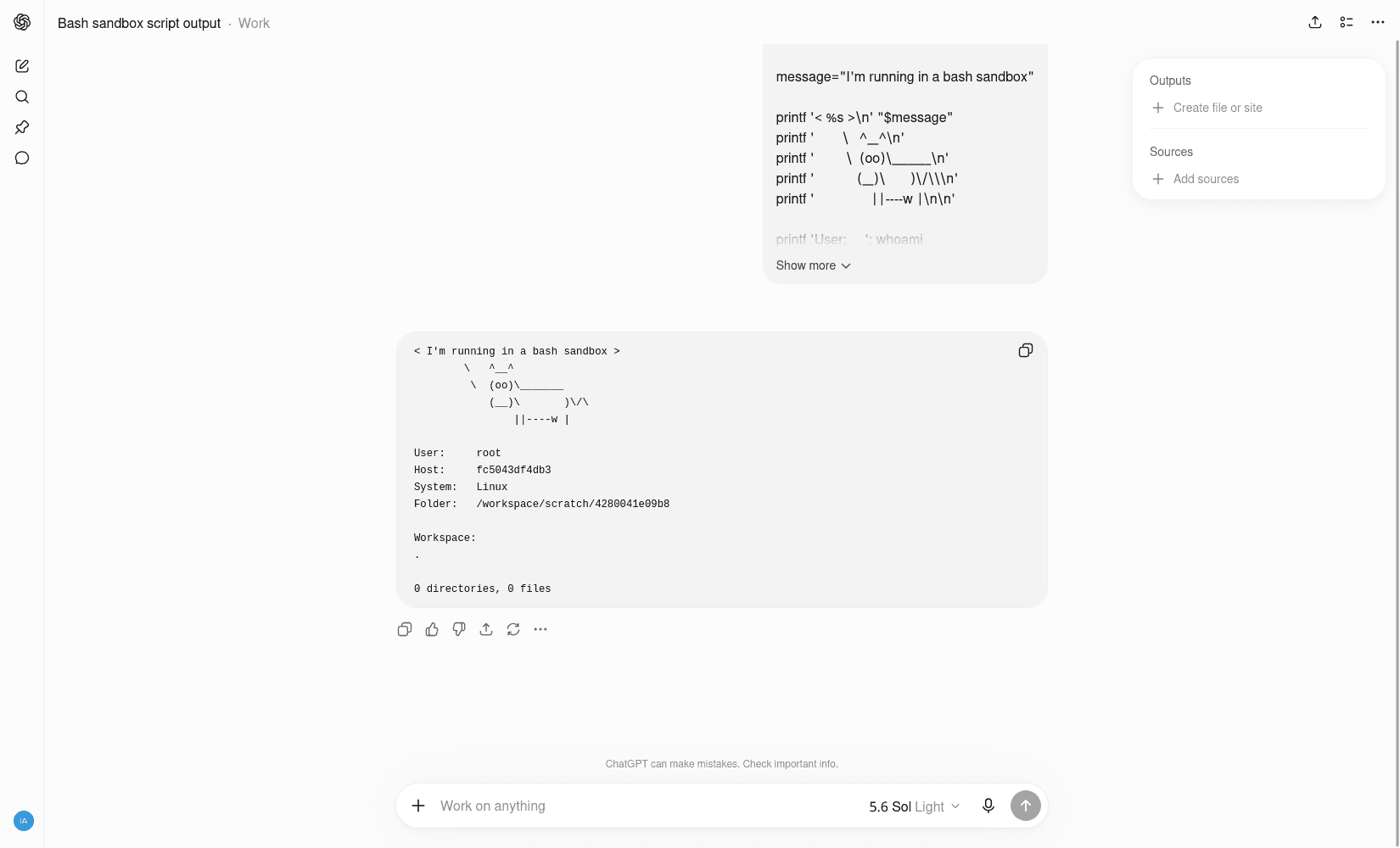
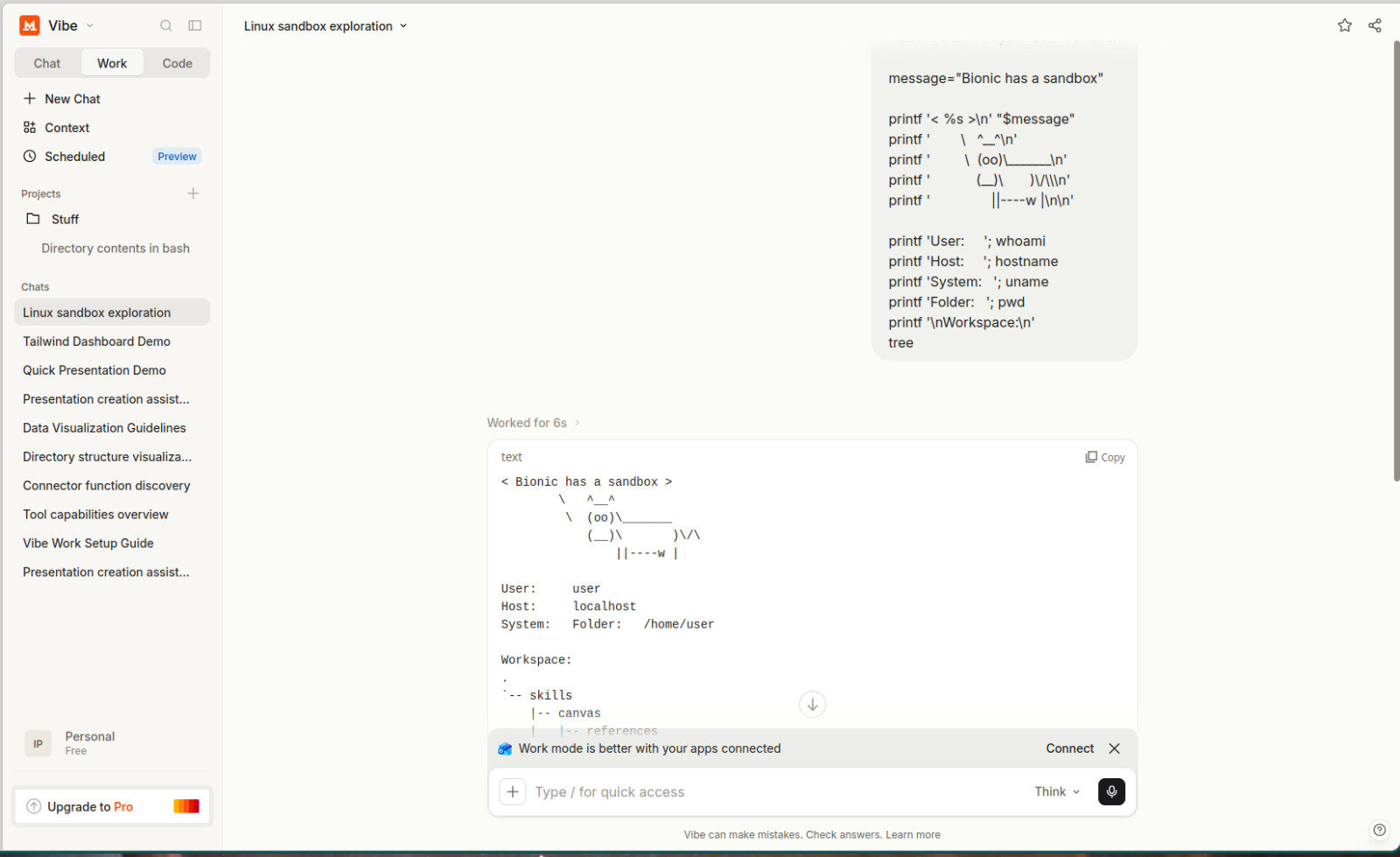
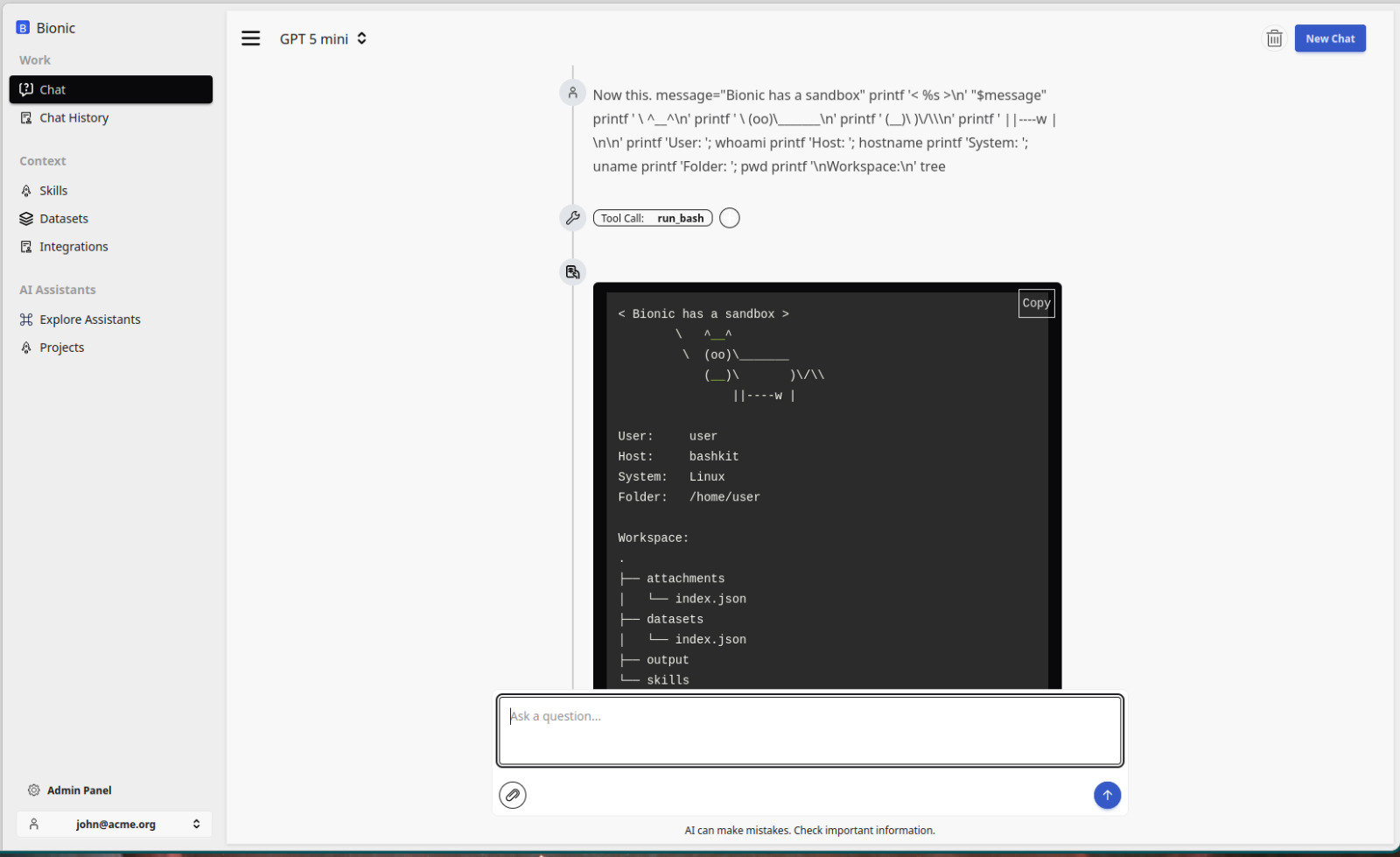
Without a controlled execution environment, a model cannot safely run local code or manipulate working files.
The next lesson examines the virtual filesystem exposed inside this boundary so the model and its tools can work with uploads, temporary files, skills, datasets, and generated outputs.
Further Reading
- OpenClaw Sandbox
- Code Mode: give agents an entire API in 1,000 tokens
- IronClaw sandbox implementation
- AI Sandboxes Startup
- Just Bash Simulates a bash environment with configurable tools.