Option 2: Run Locally with Ollama
Ollama is an inference engine for serving models on your own computer.
Use this path if you want to run the lab without sending prompts to a hosted model provider.
This lab uses IBM Granite 4.0 Tiny because it runs well on commodity CPUs without requiring a GPU and supports the structured tool calls used throughout the course.
Install Ollama
Install Ollama and make sure it is running.
Configure Ollama to Listen on 0.0.0.0
Ollama must listen on 0.0.0.0 so Bionic running in Docker or Kubernetes can
connect to it.
sudo sed -i '/^\[Service\]/a Environment="OLLAMA_HOST=0.0.0.0"' \
    /etc/systemd/system/ollama.service
sudo systemctl daemon-reload
sudo systemctl restart ollama.service
Run a Model
ollama run granite4:tiny-h
Test Ollama Directly
Call Ollama's OpenAI-compatible endpoint to confirm that the model is running:
curl http://localhost:11434/v1/chat/completions \
    -H "Content-Type: application/json" \
    -d '{
        "model": "granite4:tiny-h",
        "messages": [
            {
                "role": "system",
                "content": "You are a helpful assistant."
            },
            {
                "role": "user",
                "content": "Hello!"
            }
        ]
    }'
Connect Ollama to Bionic
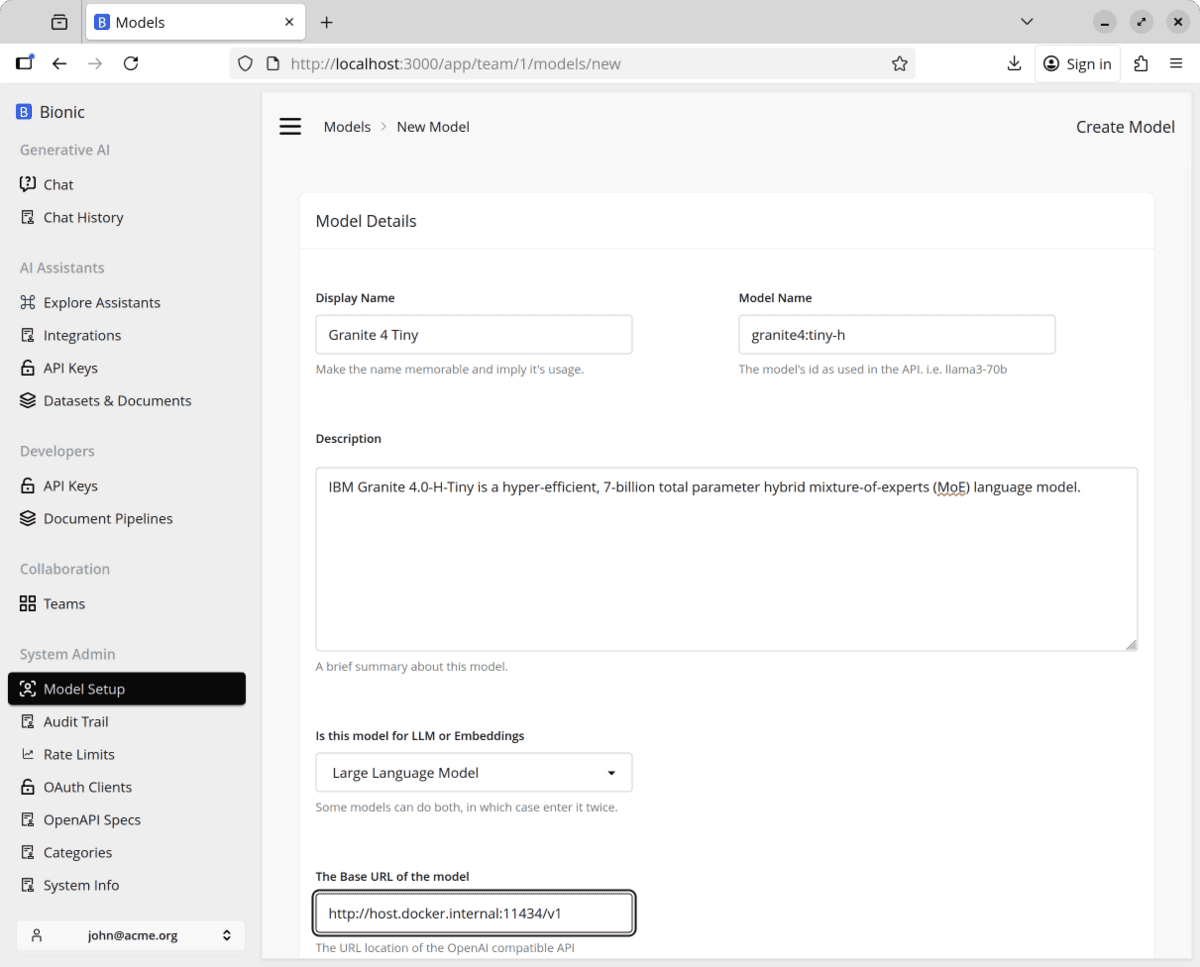
Go to Models > New Model and enter the following details:
Display Name: Granite 4 Tiny
Model Name: granite4:tiny-h
Description: IBM Granite 4.0-H-Tiny
Base URL: http://host.docker.internal:11434/v1
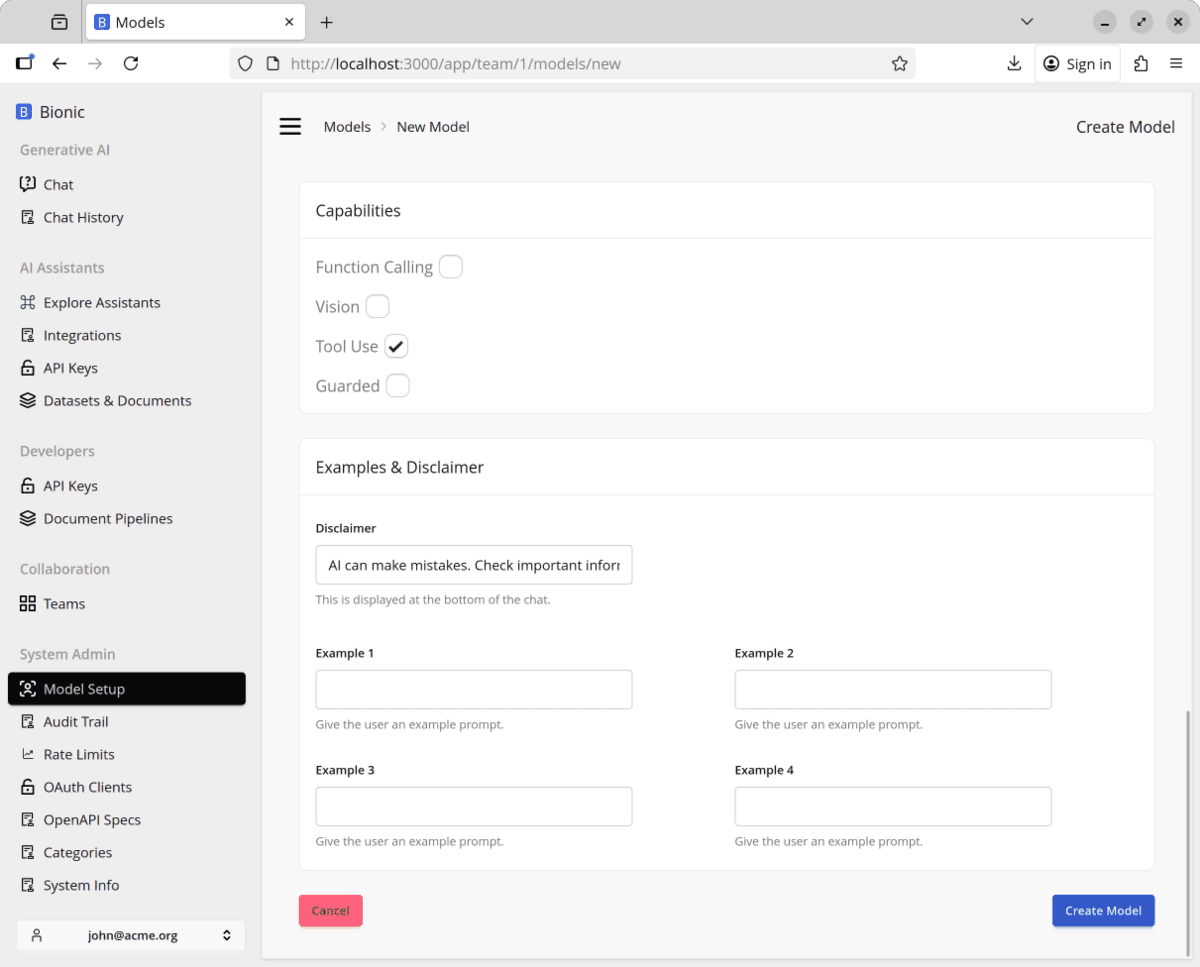
Enable Tool Use
Enable Tool Use so the model can call the runtime tools used in later lessons.
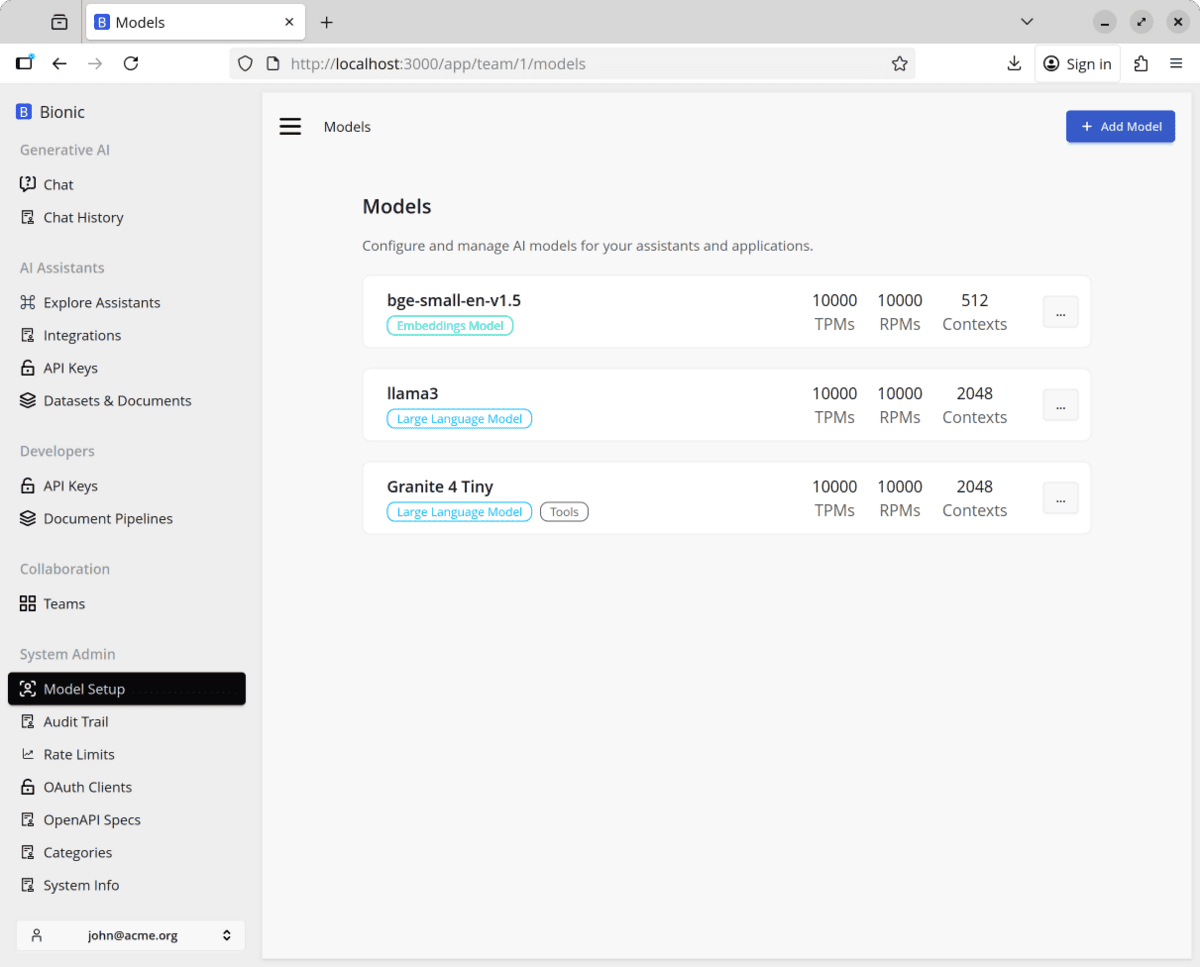
Create the model and confirm that it appears in the model list.